Featured result / Illustrative
YARD CAM
21:42:19CAM 09
Vehicle visible in site lane
Security & investigations video intelligence
Search CCTV, facility and recorded security video in natural language. Return time-coded, source-linked moments across available camera views for investigation and review.
Active source
YARD CAM · CAM 09
Live loop
Incident search
Illustrative incident search
Waiting for results...
EAST GATE
21:34:12
CAM 01
FACILITY CAM
21:38:06
CAM 04
YARD CAM
21:42:19
CAM 09
Across the incident
CCTV, street, traffic, facility and recorded site video can become one searchable incident record, connected by time, location and source.

Multiple cameras.
One searchable incident record.
Intelligence over the video. Not control of the camera system.
TIME · LOCATION · VISUAL CONTEXT · PEOPLE / ENTITIES · OBJECTS
Incident intelligence
Ask in natural language, retrieve matching moments across recorded video, align them on one timeline, and return to the exact source.
01Search
Describe what you need to find instead of scrubbing camera feeds one by one.
Security video search
Illustrative incident search
Source scope
Natural-language video search across multi-camera video for one incident time window.
02Retrieve
Return ranked, time-coded moments from the available video sources that match the investigation query.
Featured result / Illustrative
YARD CAM
Vehicle visible in site lane

PERIMETER
21:38:06
Perimeter view during the incident window
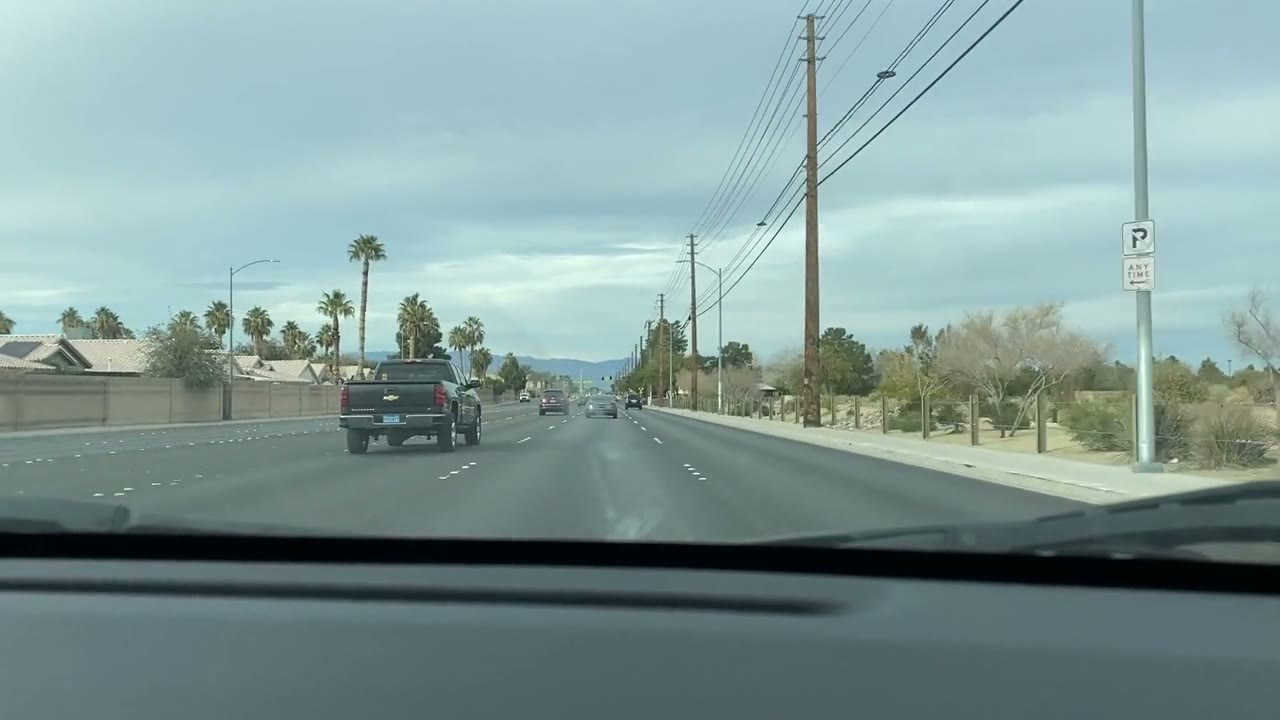
DASHCAM
21:47:03
Vehicle visible along access road
LOGISTICS SITE
21:52:11
Vehicle visible near loading area
Featured / Illustrative
YARD CAM
21:42:19
Vehicle visible in site lane
PERIMETER
21:38:06
DASHCAM
21:47:03
03Reconstruct
Place the relevant source moments on one shared timeline to review what was captured before, during and after the incident.
Incident reconstruction
Vehicle across site / Case window 21:30-21:55
Retrieved source moments aligned by time.
YARD CAM
CAM 09 / 21:42:19
Vehicle visible in site lane
PERIMETER
CAM 01 / 21:38:06
Perimeter view during the incident window
DASHCAM
CAM 12 / 21:47:03
Vehicle visible along access road
LOGISTICS SITE
CAM 07 / 21:52:11
Vehicle visible near loading area
04Verify
Open the original camera moment with its timestamp and source context.
Source verification
Time-coded video retrieval for video evidence review. Open the source-linked video moment.
From incident to review
Bring the relevant source moments together for review, briefing, clipping and downstream investigation workflows, while keeping each result linked to its original video.
Incident review set
EAST GATE / VEHICLE REVIEW
4 verified moments
CAM 01
EAST GATE
21:38:06
CAM 09
YARD CAM
21:42:19
DASHCAM
ACCESS ROAD
21:47:03
CAM 07
LOGISTICS SITE
21:52:11
Source timestamps stay attached to each original source for video evidence review.
Incident brief
Relevant vehicle moments retrieved across available site video and aligned for review.
Human review stays in the loop.
Investigation outputs
Verified moments become usable investigation intelligence.
Brief, clip, review set, structured metadata, review signal and Enterprise API paths for security video intelligence workflows.
Video-native incident intelligence
DHRUV aligns visual context, people and entities, objects, speech, on-screen text, scenes and time. SHAKTI turns that understanding into searchable, source-linked investigation workflows.
Security video
Source video
YARD CAM
Multimodal signals
Platform
Enterprise video intelligence platform
SHAKTI
DHRUV
Core
Investigation workflows
Security video
Source video
YARD CAM
Multimodal signals
Platform
Enterprise video intelligence platform
SHAKTI
DHRUV
Core
Investigation workflows
DHRUV understands the video.SHAKTI turns that understanding into action.
Fits your existing security video stack
LuminaCore AI works with the recorded video your security environment already produces, adding search, incident review and source-linked intelligence without replacing the systems around it.
Video sources
Existing systems
Works with video exported or made available by existing systems.
Recorded / available video

SHAKTI
Enterprise video intelligence platform
Powered by DHRUV
Understand · Index · Search · Verify · Review · Brief · Clip · Metadata
Investigation workflows
Investigation workflows
Investigate
Verify
Activate
Video sources
Existing systems
SHAKTI
Enterprise video intelligence platform
Powered by DHRUV
Understand · Index · Search · Verify · Review · Brief · Clip · Metadata
Investigation workflows
Investigate
Verify
Activate
LuminaCore AI works with the video your systems already produce. We do not control or operate the camera system.
Controlled deployment
Run the intelligence layer inside enterprise or customer-controlled infrastructure.
Video → SHAKTI / DHRUV → Search / Review / Outputs
Intelligence over the video. Not control of the camera system.
The incident is already in the video
See how LuminaCore AI can turn recorded security video into searchable, source-linked intelligence for investigation and review.
Search · Reconstruct · Verify · Review